---
title: T-Mobile Activation Guide
description: T-Mobile Activation Guide
---
[Skip to content](https://kb.simetry.com/knowledge-base/t-mobile-activation-guide#main-content)
English
Show submenu for translations

Open main navigation
Close main navigation
- English
Show submenu for translations
- Contact us
Contact us
How can we help you?
- There are no suggestions because the search field is empty.
1. [Knowledge Base](https://kb.simetry.com/)
2. [Evolve](https://kb.simetry.com/evolve)
3. [T-Mobile](https://kb.simetry.com/evolve#t-mobile)
# T-Mobile Activation Guide
### T-Mobile Activation Guide
Navigate to Device Management → SIM Management
- Select "T-Mobile (SIMETRY)" as the carrier account. 
- Search for the ICCID of the sim that you wish to activate. \*Please note that you can also search in bulk by using the list search tool at the bottom of the page. 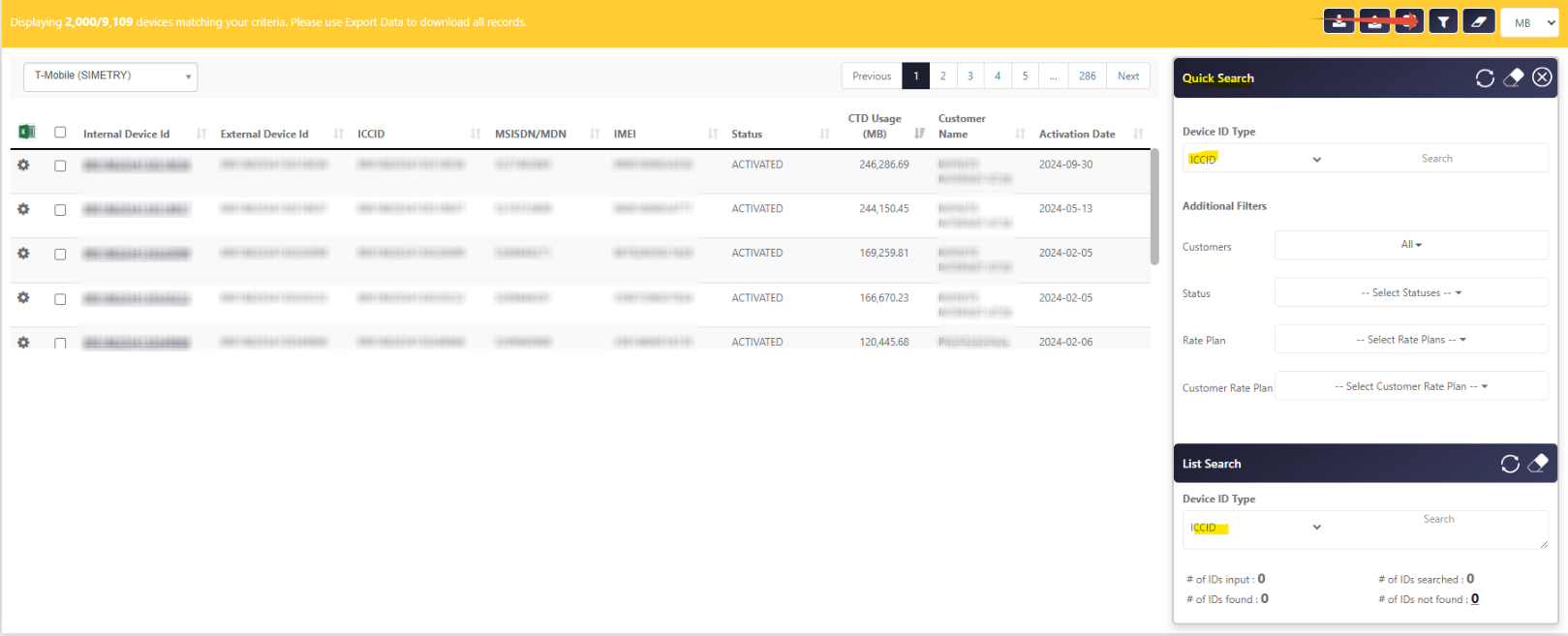
- Select the "Perform Action" icon to fill in the required fields of the activation form. *\*Please note that you will have the option to import a Microsoft Excel file to fill in the blank form. You also have the ability to receive either an SMS or email notification once the action has been completed. *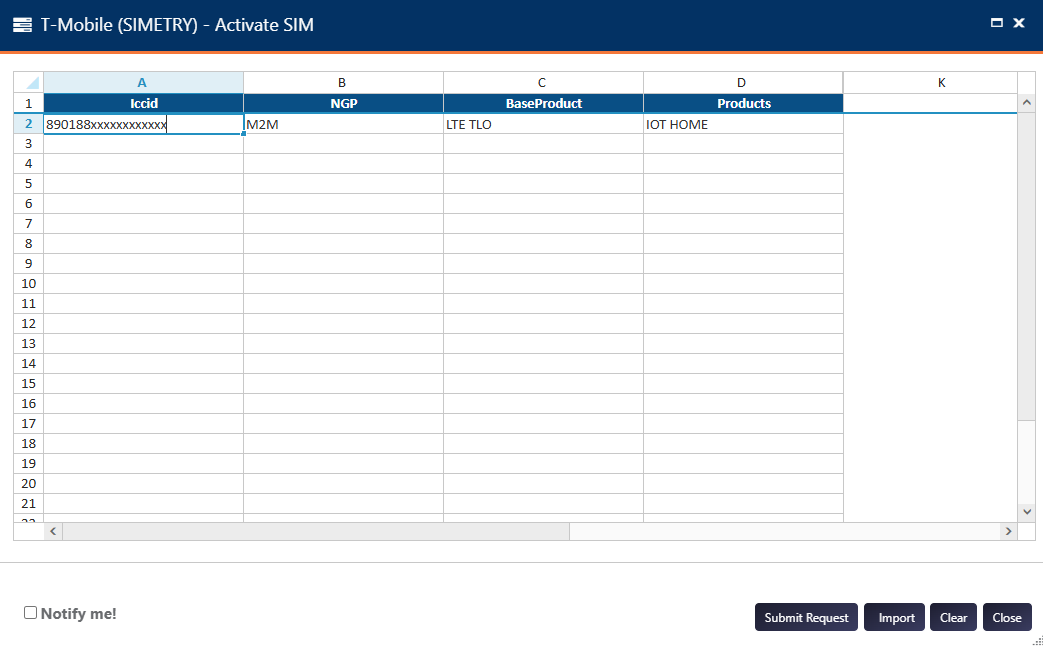
- Once the form has been submitted, you will be presented with a unique transaction ID. You can track the status of your request by navigating to Device Management → Action Status.
- [Evolve](https://kb.simetry.com/evolve#main-content)
- [T-Mobile](https://kb.simetry.com/evolve#t-mobile)
- [Hardware Configurations](https://kb.simetry.com/hardware-configurations#main-content)
- [Peplink](https://kb.simetry.com/hardware-configurations#peplink)
[](http://simetry.com)
[mailto:email@email.com](mailto:email@email.com)
Copyright © 2026, SIMETRY IOT LLC